Guides ›
How to Play 2048 – Rules, Controls, Undo and Board Sizes
Beginner guide to 2048 in Number Merge 2048: how tiles slide and merge, scoring, undo, 3×3 / 4×4 / 5×5 boards and what happens after the 2048 tile.
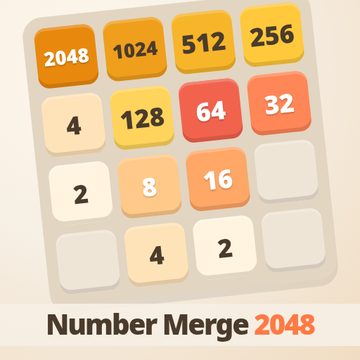 Number Merge 2048: Slide & Merge PuzzleSlide numbered tiles, merge equal pairs and build the 2048 tile — with undo and 4 themes.▶ Play Number Merge 2048 free
- Game
- Number Merge 2048
- Genre
- Sliding number-merge puzzle
- Controls
- Swipe · arrow keys / WASD · U or Z undo · N new game
- Boards
- 3×3 hard · 4×4 classic · 5×5 relaxed
- Undo
- 5 per game on 3×3, 3 per game on 4×4 and 5×5
- Price
- Free, no download, no account
The goal
2048 is played on a square board of numbered tiles. Each move pushes every tile as far as it can go in one direction. When two tiles with the same number run into each other, they merge into one tile worth their sum: 2 + 2 makes 4, 4 + 4 makes 8, and so on up the powers of two. Your goal is to build a single tile showing 2048.
After every move that changes the board, one new tile appears in a random empty cell. Nine times out of ten it is a 2; the rest of the time it is a 4. That steady trickle of new tiles is what fills the board, so every move should leave you with room to keep going.
Controls
On a phone or tablet, swipe anywhere on the board: up, down, left or right. The page will not scroll while your finger is on the board, so a swipe always counts as a move. On a computer, use the arrow keys or W, A, S and D.
The buttons above the board are New (start over), Undo (with the number of undos you have left) and ⚙, which opens board size and theme. Keyboard shortcuts: U or Z undoes a move and N starts a new game. If a swipe would not change anything, the board gives a small nudge and no tile is added.
How merging works
Each tile can merge only once per move. If a row holds 2, 2, 2, 2 and you swipe left, you get 4, 4, not 8. Merges are resolved starting from the side you swipe towards, so in a row of 4, 4, 8 swiped left, the two 4s merge first and the 8 slides in behind them as 8, 8. They will merge on your next left swipe.
Every merge adds the new tile value to your score: making a 64 is worth 64 points, making a 2048 is worth 2048. The +points pop over the score box so you can see what each move earned.
Board sizes
The ⚙ menu lets you pick the board. 4×4 is the classic size. 5×5 is relaxed: nine extra cells give you much more space to fix mistakes, so it suits learning the corner strategy. 3×3 is hard: with only nine cells the board fills almost at once, and reaching 256 or 512 is already a good result. Each size keeps its own best score and its own saved game, so you can switch back and forth without losing progress.
Undo
A mistaken swipe on a crowded board often ends the game. Number Merge 2048 gives you a small number of undos per game: five on the 3×3 board and three on the 4×4 and 5×5 boards. Each undo rewinds one move, including the score and the new tile that appeared. You can undo several moves in a row as long as you still have undos left. When no moves are left, the game-over card also offers Undo if you still have one, so you can try a different direction.
Winning and beyond
When you make your first 2048 tile, a card offers Keep going or New game. Keep going lets you continue on the same board towards 4096, 8192 and higher; your score keeps counting. The game only ends when the board is full and no two neighbouring tiles match.
Saving and themes
Your best score for every board size and the game you are in the middle of are saved in your browser on this device, so you can close the tab and continue later. Nothing is sent to a server and you do not need an account. In the ⚙ menu you can switch between four color themes: Sunrise (warm), Midnight (dark), Candy (pastel) and Forest (green). Read 2048 Strategy: Corner Method and Snake Pattern next to push your score higher.
FAQ
Is 2048 hard?
The rules are simple, but reaching 2048 on a 4×4 board usually takes a few tries. Start on the 5×5 board, which gives you more room, then move to 4×4.
Why did my swipe not add a tile?
A move that changes nothing on the board does not count. The board gives a small shake and no new tile appears.
Can I play on a Chromebook or school laptop?
Yes. It runs in any modern browser and needs no install.
 Blob Drop: Merge PuzzleDrop blobs, merge matching ones and reach the Galaxy Blob.
 Pet Tower: Stack the PetsStack adorable pet blocks as high as you can — one tap to drop, nail perfect combos.